.png?width=357&height=85&name=tpiq-logo%20(375x85).png)
Occasionally, the RAP (Read–Analyze–Propose) process may not interpret a tax return correctly during upload. When this happens, the results may appear incomplete or inaccurate.
RAP analyzes the uploaded Form 1040 using OCR technology. If the file format, copy type, or scan quality interferes with reading the document, the analysis may appear incomplete.
You may notice things like:
- Fewer strategies suggested than expected
- Important numbers missing, such as Total Tax or Taxable Income
- Results that do not match the tax return you uploaded
Quick Troubleshooting Steps
Step 1: Delete the uploaded return
Locate the uploaded return under the Draft Client tab and delete the file.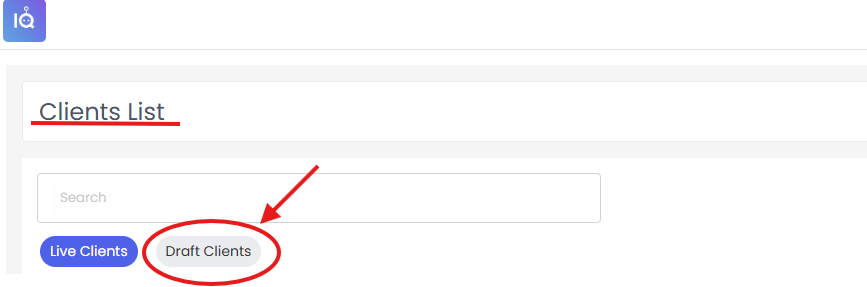

Step 2: Upload the return again
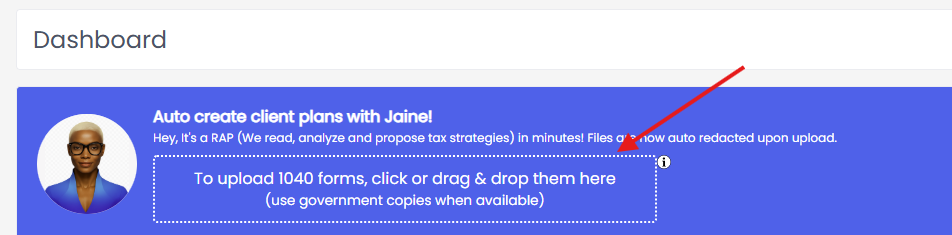
Upload the same tax return file again and allow RAP to run.
In many cases, simply re-uploading the return resolves the issue.
If the Issue Continues
If you upload the return again and the results still look incorrect, please contact our support team so we can investigate.
You can reach us in two ways:
- Email us at support@taxplaniq.com
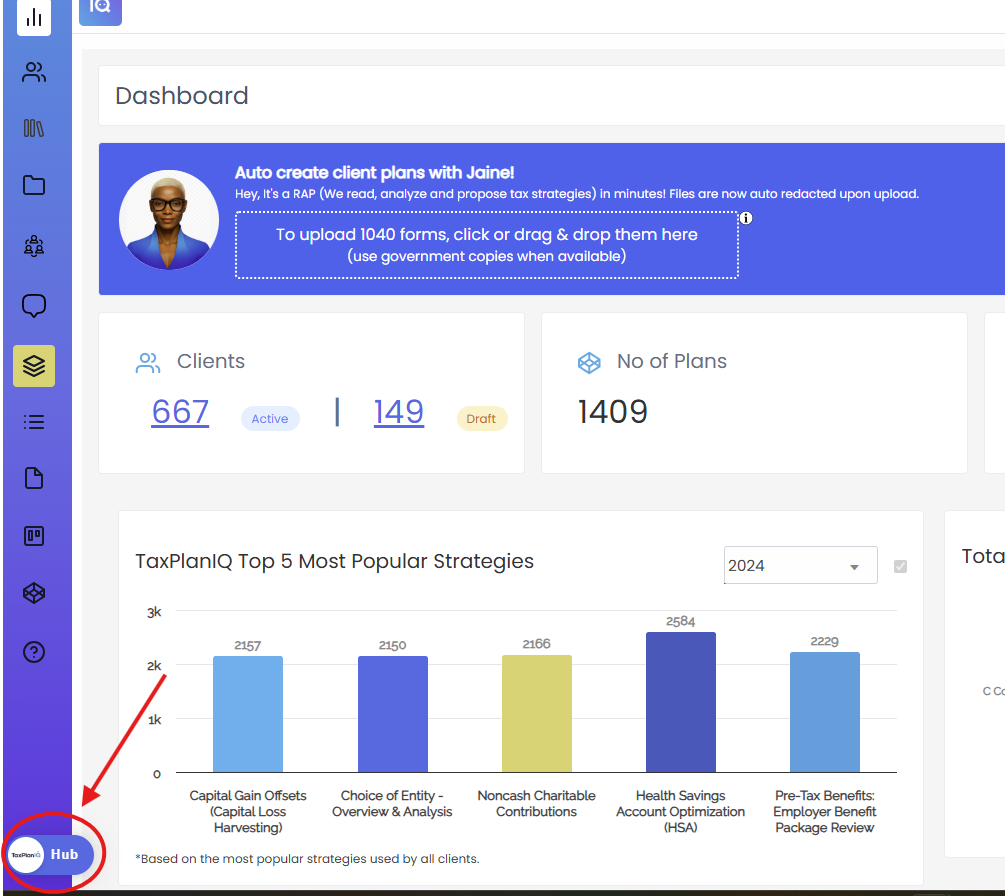
- Use the TaxPlanIQ Hub inside your TaxPlanIQ account
When contacting support, please include:
- The client name
- Which uploaded return is causing the issue
- A short description of what appears missing or incorrect
Providing this information helps our team resolve the issue more quickly.